Jolly List: a Christmas shopping app, and I need TestFlight testers
Christmas shopping is a small logistics problem wearing a sentimental costume. There’s a list of people, a budget that was never written down, a pile of orders in flight from five different stores, and a vague memory that something for someone was already bought and is hidden somewhere. By mid-December it all lives in a notes app, three browser tabs and a closet.
Jolly List is my attempt to put that in one place. It’s an iPhone and iPad app, and it’s in beta. I’m looking for TestFlight testers, and the last section says how to get in touch.
What it does
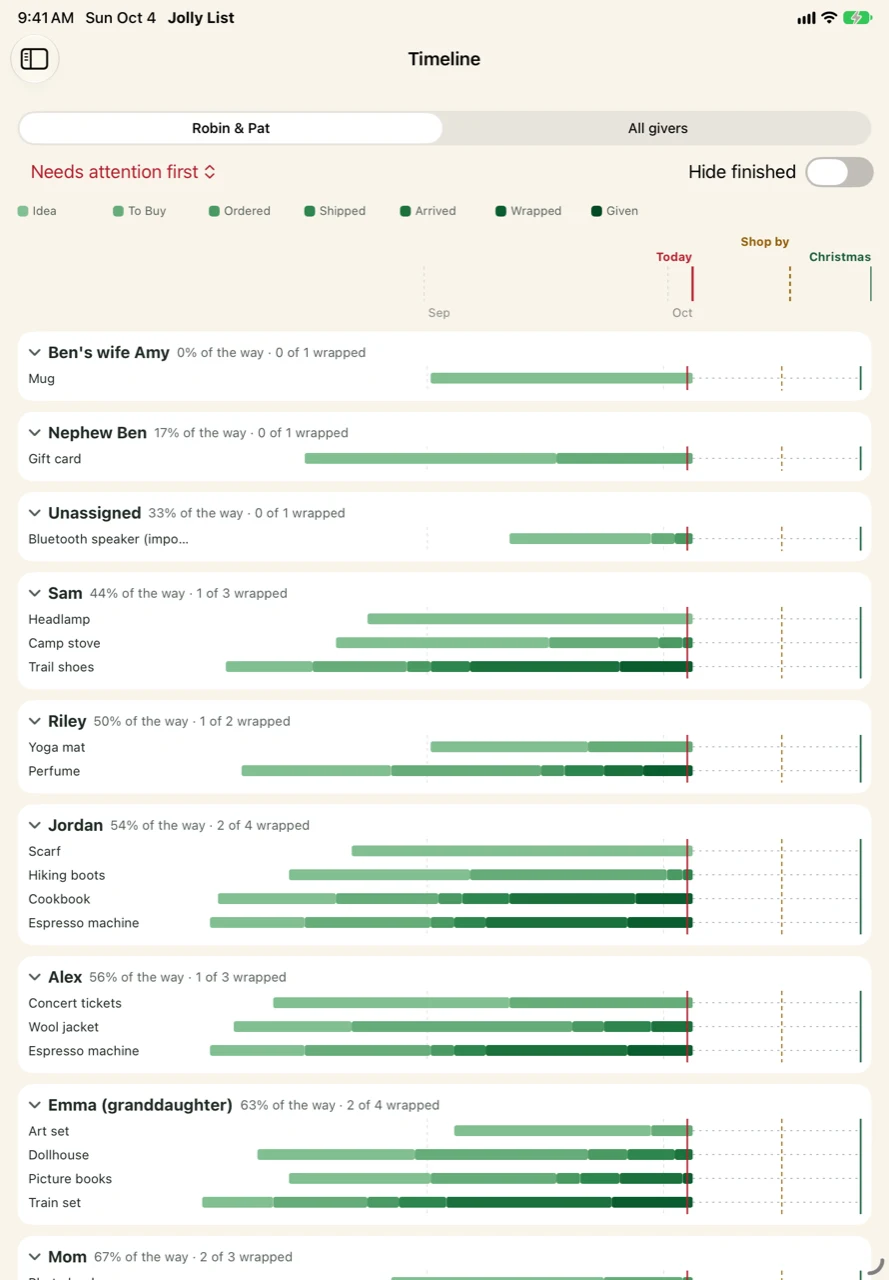
Each gift moves through a lifecycle: idea, to buy, ordered, shipped, arrived, wrapped, given. Almost everything in the app is a view onto that one line.
- Budget, per person and overall. Set a season total and it splits across the people you buy for. Weight someone more or less, lock a budget so a rebalance leaves it alone, and preview the rebalance before it applies. Going over warns you. It never blocks you.
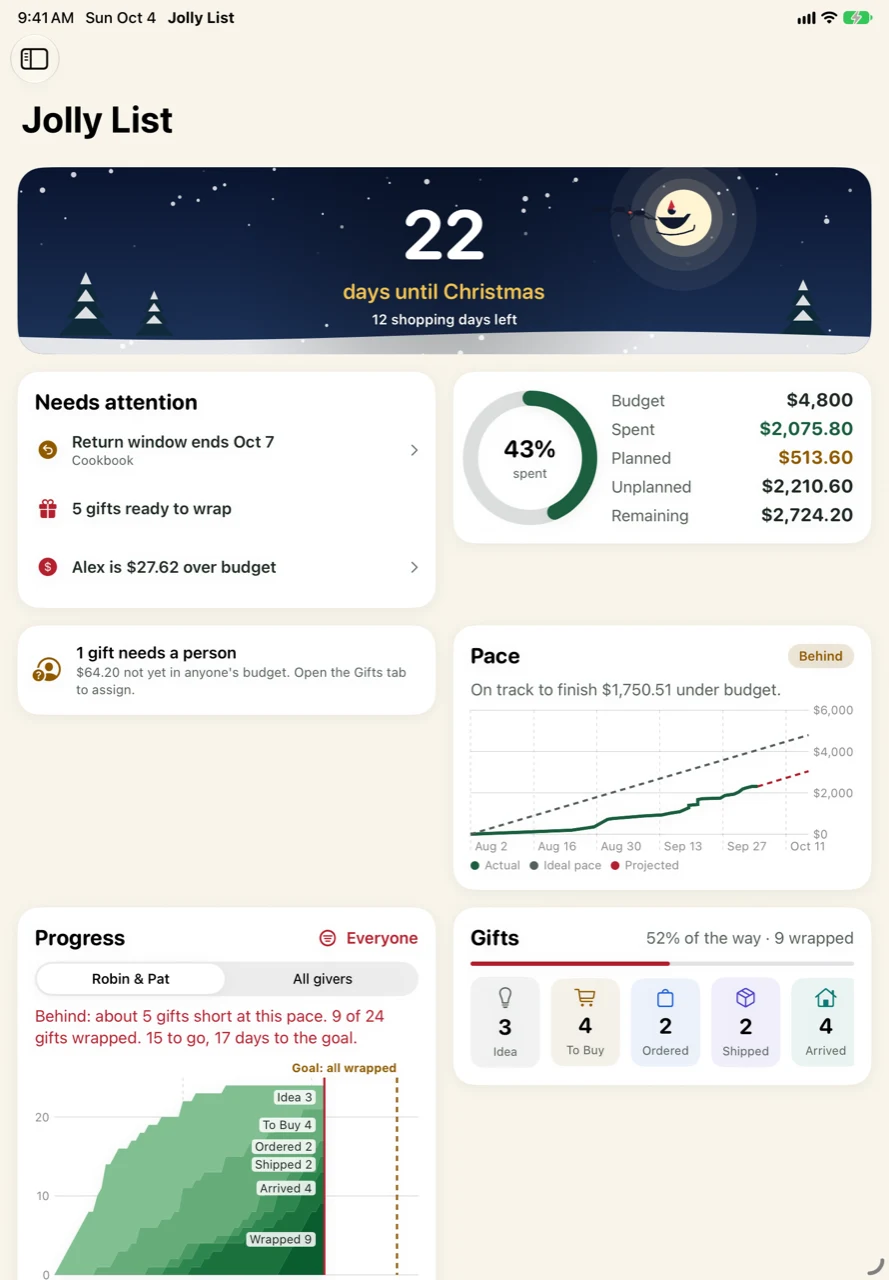
- Progress, not just spending. Two percentages: how much of the budget is spent, and how many gifts are actually wrapped. A pace chart shows whether you’re ahead or behind where you’d need to be by your shopping deadline.
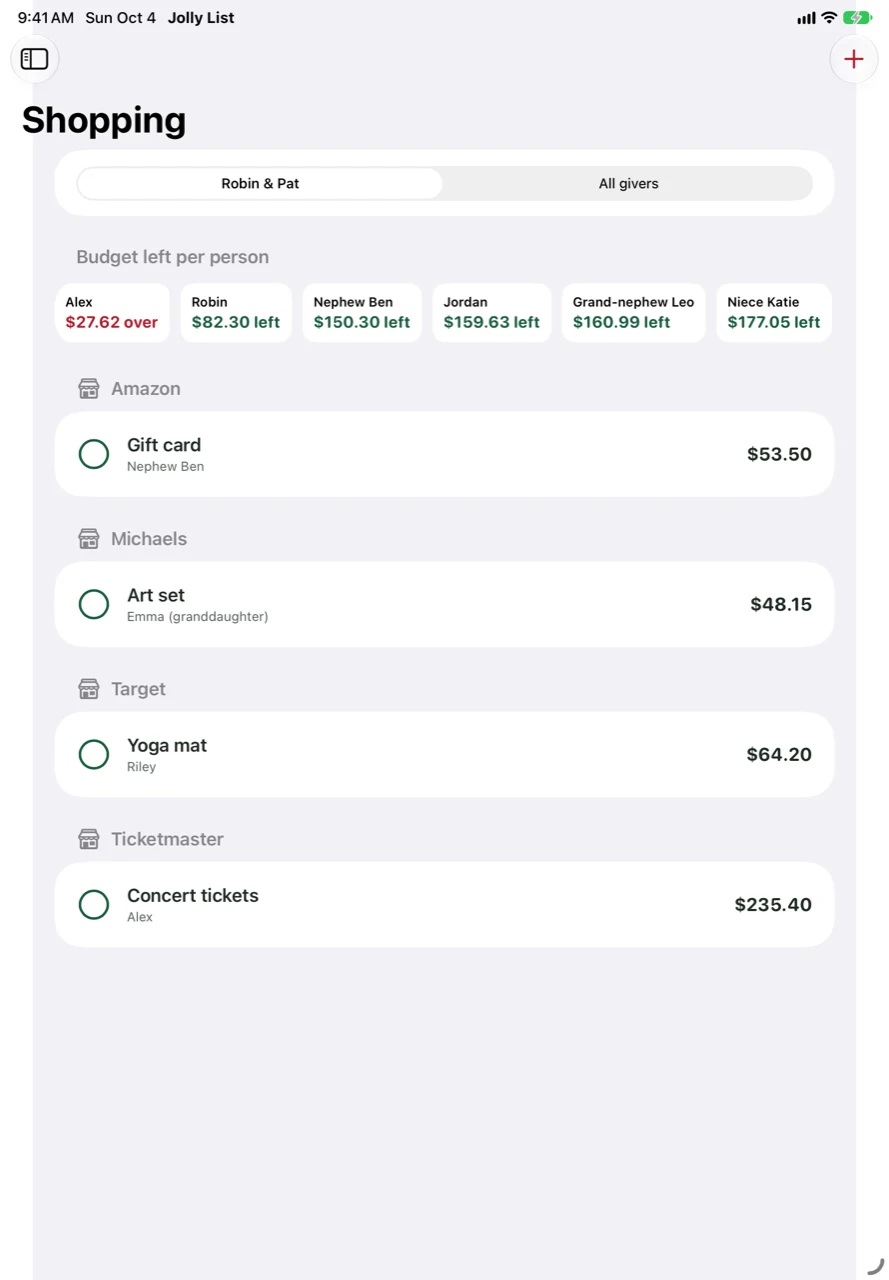
- Shopping mode. On the phone, a store-grouped list of what’s left to buy, with the remaining budget for each person visible while you decide.
- Getting gifts in. Share a product page from Safari or a retailer’s app and it becomes an idea or a gift in two taps, with the title, image and price filled in where the page allows. Amazon order-history exports can be imported and matched to the gifts you already track, and order emails can update a gift’s status through Shortcuts.
- Several people giving. Track who is giving what, so the household total and each giver’s share both add up.
- Surprises stay surprises. If two people share a list, gifts bought for someone are hidden on that person’s own device.
- iPad and iPhone together. Data syncs through iCloud, the iPad has a proper list-and-detail layout, and a season can be backed up and restored.
There’s no account to create, no analytics, and no server of mine in the middle. Your data lives in your own iCloud.
What beta means here
It works and I use it, and it’s still rough in the ways you’d expect. Sharing a list between two Apple IDs is the part I most want exercised on devices that aren’t mine, along with the import paths, which depend on what real order history and real emails look like. Things will change between builds, and some of that change will be in response to what testers tell me.
What it looks like
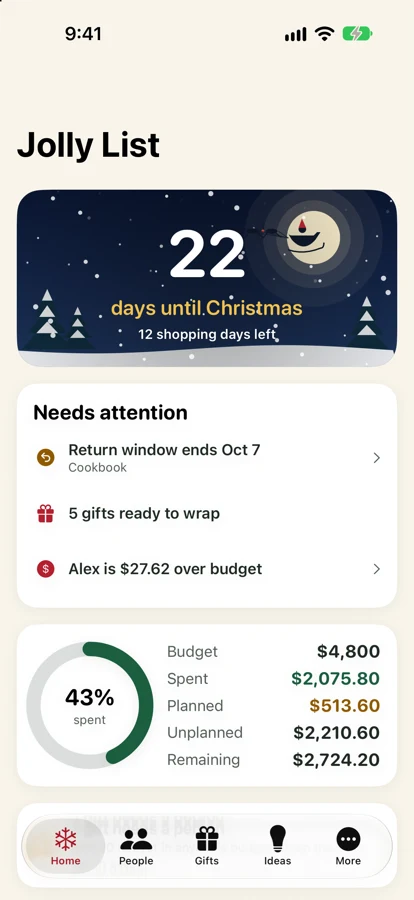
The home screen counts down to Christmas, flags what needs attention, and shows how the budget is holding up. On a phone it’s one column:
On an iPad the same screen opens out, with a pace chart that compares what you’ve spent against where you’d need to be, and a progress chart of gifts by stage:
The timeline gives every gift a bar that fills in as it moves from idea to given, against markers for today, the shop-by date and Christmas:
And shopping mode groups what’s left to buy by store, with the budget remaining for each person along the top:
All of these show made-up sample data.
Want to test it?
You’ll need an iPhone or iPad on iOS 17 or later and the free TestFlight app from Apple. Send me the email address tied to your Apple ID and which device you’ll use, and I’ll send an invite: testflight@djrmun.com
Feedback that helps most is specific: what you were trying to do, what you expected, and what happened instead. Bad ideas are welcome too. It’s a Christmas app with a December deadline, so there’s no better time to find out what’s wrong with it.
Once you’re in, the Jolly List help page answers the common questions (sharing, surprises, stockings, Amazon orders, backups), and the privacy policy says what the app does with your data: nothing leaves your devices and your own iCloud.